

Most educators assume AI's role in video education stops at automation. Trim a clip, add captions, maybe generate a thumbnail. But understanding how AI structures video lessons reveals something far more useful: a system that applies learning science to every decision, from the opening hook to the final takeaway. If you create training content, teach online, or build courses from existing video, this guide breaks down exactly how AI designs that structure, what workflows actually work, and how you can put it to use today.
Table of Contents
- Key takeaways
- How AI structures video lessons using instructional design
- Turning raw content into structured visual narratives
- Structuring multi-lesson courses with AI
- Accessibility and compliance in AI-structured lessons
- Advanced AI techniques for interactive video lessons
- My honest take on using AI for lesson structure
- Build your first AI-structured course with Courseos
- FAQ
Key takeaways
| Point | Details |
|---|---|
| AI follows instructional design patterns | Lessons are built on a problem → explanation → example → summary flow to maximize retention. |
| Segmentation is built into the process | AI divides content into 3 to 7 minute chunks, limiting each video to three key points. |
| Raw content becomes structured courses | AI converts scripts, outlines, and video transcripts into synchronized visual and auditory narratives. |
| Accessibility is non-negotiable | ADA Title II compliance requires 100% accurate captions, and AI handles the first pass automatically. |
| Advanced AI enables interactive learning | Multimodal pipelines turn passive video into searchable, queryable knowledge assets. |
How AI structures video lessons using instructional design
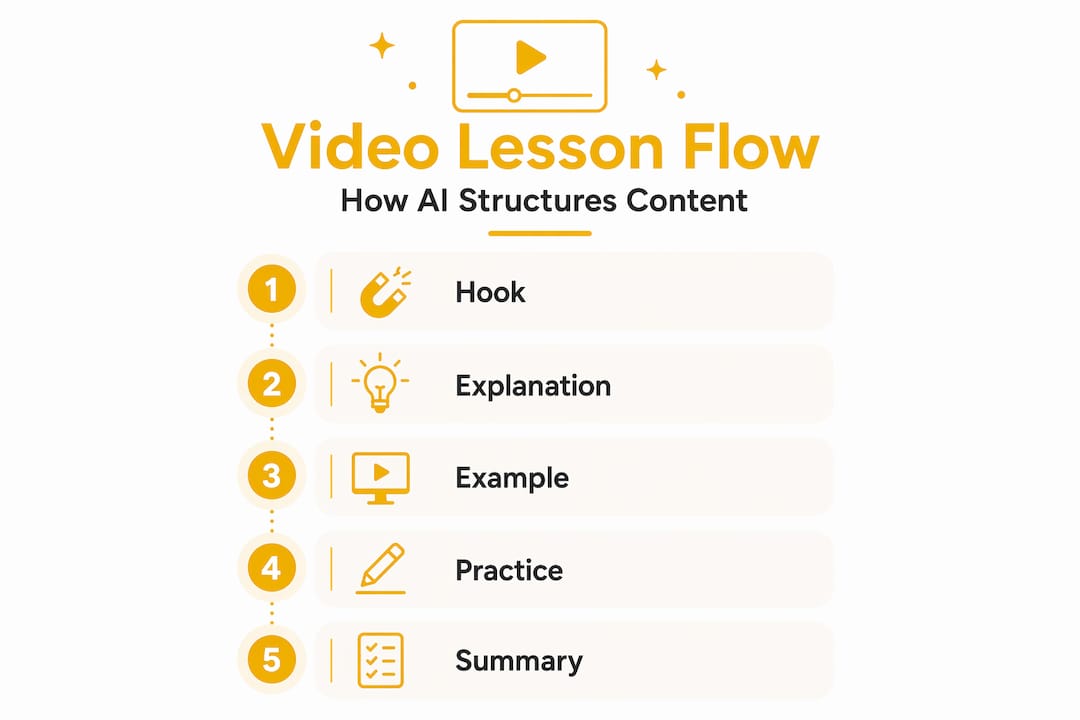
The most effective AI-generated lessons do not just present information. They follow a pattern that mirrors how people actually learn. According to production heuristics for educational video, AI structures lessons using a repeatable four-part flow: a 30-second problem or question to hook attention, a two to four minute core explanation, a 30 to 90 second concrete example, and a closing segment that surfaces three key takeaways.
This is not arbitrary. Each phase serves a cognitive purpose. The opening problem activates prior knowledge and creates a reason to keep watching. The explanation delivers new content in plain language. The example anchors abstraction to something tangible. The summary reinforces what just happened, which is where retention is actually built.
AI tools for lesson planning operationalize this by analyzing your script or outline and flagging where the structure breaks down. If your explanation runs six minutes without an example, the system flags it. If your opening does not pose a question or problem, it prompts you to add one.
- Define learning objectives first. AI uses your stated objective to filter content and cut anything that does not serve it directly.
- Keep key points to three per video. Limiting key points per video to no more than three measurably improves learner retention.
- Address misconceptions explicitly. AI can identify common misunderstandings in your subject area and prompt you to address them directly, which increases critical thinking engagement.
- Use plain language and analogies. AI rewrites dense explanations into accessible language without losing accuracy.
Pro Tip: Before you write a full script, ask your AI tool to generate a lesson outline with timing estimates for each section. This single step prevents the most common structural problems: pacing errors, scope creep, and logic gaps.
Turning raw content into structured visual narratives
Here is where AI in video education gets genuinely impressive. You do not need a filming setup, a graphic designer, or a video editor. AI analyzes educational scripts to create synchronized visual narratives complete with audio narration and captions, automatically selecting relevant visuals, charts, and animations tied to script keywords.

The workflow looks like this: you provide a script or outline, the AI identifies the key concepts in each segment, and it maps those concepts to visual assets. A lesson on compound interest gets a chart. A lesson on human anatomy gets a labeled diagram. A lesson on customer service gets an animated scenario. The visual selection is semantic, not random.
Template-based consistency keeps the lesson flow and styling coherent across an entire course. This matters more than most creators realize. When visual style shifts between lessons, learners spend cognitive energy adjusting to the new format instead of absorbing content. AI eliminates that friction by locking in a consistent structure.
You can also customize pacing, rearrange segments, and add AI avatars as on-screen presenters. These avatars maintain a consistent visual identity across all your lessons, which builds the kind of familiarity that keeps learners coming back.
- AI-generated captions appear automatically, synchronized to the audio track.
- Audio narration can be generated in multiple voices and languages, expanding your reach without re-recording.
- Scene sequencing follows the instructional flow you defined at the outline stage, not a default template.
- Visual density is calibrated per segment: complex concepts get more visuals, transitions get fewer.
Pro Tip: When creating video lessons with AI, upload your outline rather than your finished script. Outlines give the AI more flexibility to suggest visual pairings and segment breaks before your language is locked in.
Structuring multi-lesson courses with AI
Single videos are manageable. Full courses are where most creators hit a wall. AI solves the organization problem by mapping your content into modules, lessons, and checkpoints before a single video gets produced.
Here is how a well-structured AI-generated course is typically organized:
- Define the course goal. The AI uses this as a filter for every module and lesson that follows.
- Break the topic into modules. AI course outlines typically include three to six lessons per module, each with its own learning objective.
- Assign video length targets. Each lesson video runs three to seven minutes. Longer topics get divided across multiple videos rather than crammed into one.
- Insert learner checkpoints. A quiz or reflection prompt follows every lesson to test comprehension before the learner moves forward.
- Build toward a capstone. A final graded project with an AI-generated rubric ties the entire course together and gives learners a concrete deliverable.
The table below shows how this structure scales across course sizes:
| Course size | Modules | Lessons per module | Checkpoint type |
|---|---|---|---|
| Mini-course (1 hr) | 2 to 3 | 3 to 4 | Quiz after each lesson |
| Standard course (3 to 5 hrs) | 4 to 6 | 4 to 6 | Quiz + reflection prompts |
| Signature course (8+ hrs) | 6 to 10 | 5 to 6 | Quiz + project + capstone |
Batch production is the workflow advantage most creators overlook. Scripting and producing entire modules in a single workflow day improves consistency, reduces context switching, and raises the overall quality of AI-generated video lessons. When you produce lesson by lesson over weeks, your tone shifts, your terminology drifts, and your learners feel the inconsistency.
Accessibility and compliance in AI-structured lessons
Accessibility is not optional. ADA Title II requires 100% accurate captions for all recorded videos, and auto-generated captions alone do not meet that standard. Background noise, technical terminology, and speaker accents all introduce errors that require human review and correction.
AI handles the first pass well. It generates captions synchronized to your audio, produces a full transcript, and can flag segments where confidence in accuracy is low. That gives you a strong starting point. But the final review is on you.
"Creators must review and correct captions to ensure compliance and accessibility for learners with disabilities." — California State University Long Beach, ADA Title II Guidance, January 2026
Beyond captions, intelligent video lesson design includes several other accessibility layers:
- Audio descriptions narrate visual content for learners who cannot see the screen, and AI can generate these from your script's visual cues.
- Pacing controls allow learners to adjust playback speed without losing caption sync.
- High-contrast visual templates ensure on-screen text is readable for learners with visual impairments.
- Plain language scripting benefits all learners, but particularly those with cognitive disabilities or non-native language backgrounds.
Accessible captions also improve retention for learners without disabilities. Reading and hearing content simultaneously reinforces encoding. This is a benefit of AI in learning that often goes unmentioned: accessibility features double as comprehension tools.
Advanced AI techniques for interactive video lessons
The most forward-looking application of AI in video education goes beyond structured delivery. It turns your lesson library into a queryable knowledge base.
DeepLearning.AI's multimodal video pipeline uses automatic transcription, optical character recognition, semantic search, and a retrieval-augmented generation system to index video lessons as searchable knowledge artifacts. A learner can type a question and get a specific answer pulled from the exact moment in the video where it was addressed.
| Capability | Basic AI video tools | Advanced multimodal AI |
|---|---|---|
| Caption generation | Automatic, needs review | Automatic with semantic indexing |
| Content search | Keyword-based | Semantic and contextual |
| Learner interaction | Passive viewing | Q&A over lesson content |
| Knowledge structure | Linear playlist | Interconnected knowledge graph |
| Personalization | Playback speed only | Adaptive sequencing by learner behavior |
This is where AI-driven video content creation is heading. Instead of a learner rewatching a 45-minute module to find one concept, they ask a question and get the answer with a timestamp. That shift from passive to active learning changes outcomes. It also changes how you think about building courses from video content, because every video you produce becomes a searchable asset, not just a file in a folder.
My honest take on using AI for lesson structure
I've worked with enough AI-generated courses to have strong opinions on where the process breaks down. The most common mistake I see is skipping the outline stage and going straight to script generation. The AI produces something that sounds polished but has no internal logic. Concepts appear out of sequence. The pacing is off. The learner gets lost.
Creating an outline with timing constraints first before expanding into a full script is the single change that most improves AI output quality. It forces you to think about structure before language, which is exactly the right order.
I've also seen creators treat AI output as final. It never is. AI handles the structural scaffold well. It does not handle tone, nuance, or subject-matter accuracy the way a human expert does. Every lesson I've seen succeed with AI has had a human review pass for those three things specifically.
The batch production insight is real. When I produce an entire module in one sitting, the lessons feel like they belong together. When I produce them over several weeks, they feel like separate videos that happen to share a topic. Learners notice that difference, even if they cannot articulate why.
AI will not replace educators. It will replace the parts of course creation that were never a good use of educator time: formatting, sequencing, captioning, and visual production. What remains is the part only you can do: knowing your subject, understanding your learner, and making judgment calls about what matters.
— Eldar
Build your first AI-structured course with Courseos
If you want to put these principles to work without building a custom workflow from scratch, Courseos does the heavy lifting for you. Paste a YouTube or TikTok link, and the AI course builder generates a full curriculum with modules, lessons, and quizzes in under ten minutes. No technical setup. No design work. No blank-page problem.
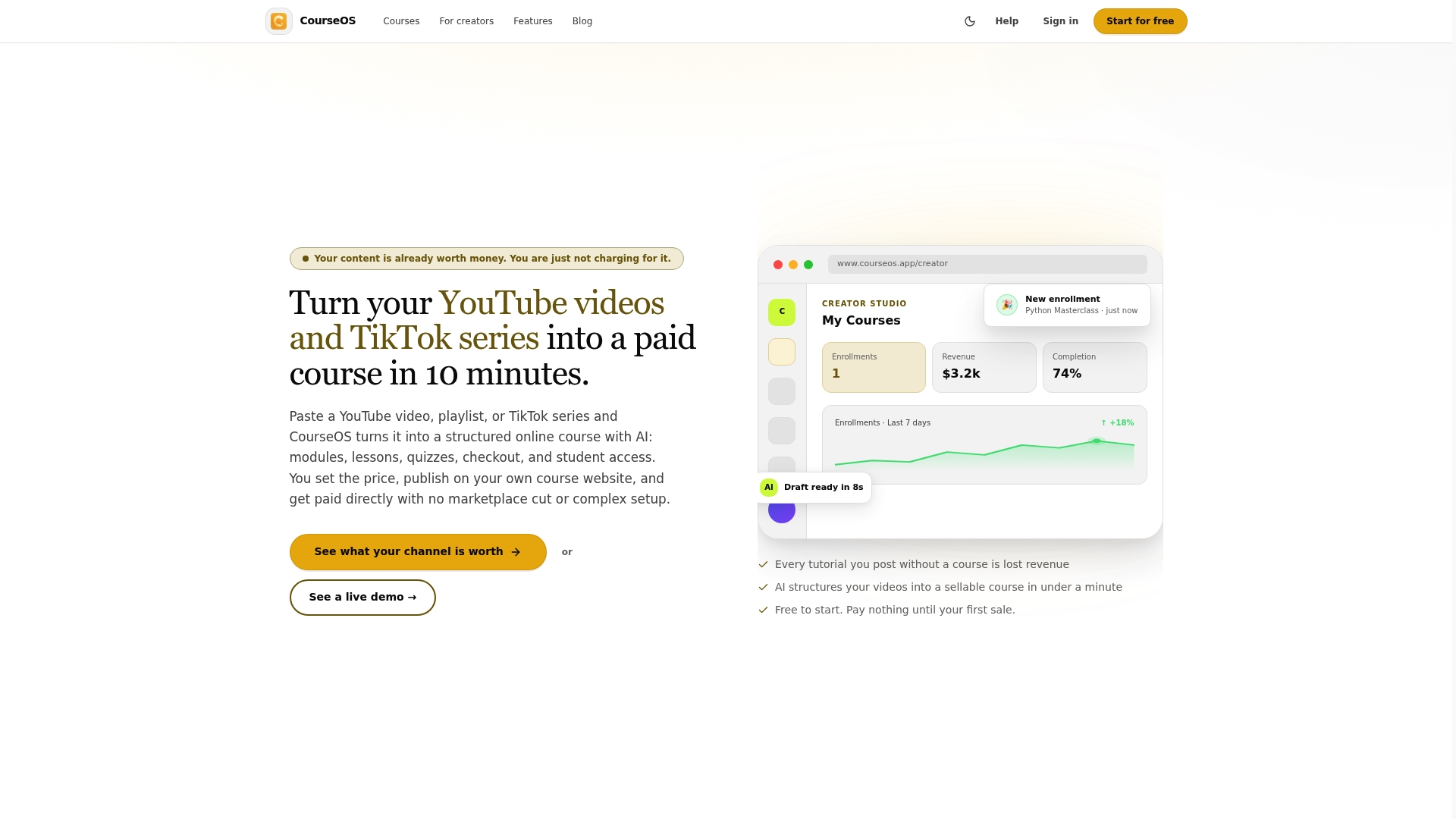
Courseos also supports course creation from PDFs, guides, and documents through its PDF to course tool, so your existing content becomes a structured, sellable course immediately. You keep full control over pricing and earnings. Creators have reported earning $3,400 from a single course built on content they already had. Your video archive is not just content. It is a course backlog waiting to be structured.
FAQ
What is the standard structure AI uses for a video lesson?
AI structures video lessons using a four-part flow: a short problem or hook, a core explanation, a concrete example, and a closing summary with key takeaways. This pattern follows instructional design principles that reduce cognitive load and improve retention.
How long should AI-structured video lessons be?
Each lesson video should run between three and seven minutes. For longer topics, AI divides content across multiple videos rather than extending a single lesson, which improves learner retention and completion rates.
Does AI-generated captioning meet ADA compliance standards?
Not automatically. ADA Title II requires 100% accurate captions, and AI-generated captions need human review and correction before they meet that standard, especially for technical terminology or noisy audio environments.
Can AI structure an entire course, not just individual lessons?
Yes. AI tools for lesson planning can map full courses into modules, lessons, quizzes, and capstone projects. Modules typically contain three to six lessons, each with its own learning objective and checkpoint assessment.
What is the difference between basic and advanced AI video structuring?
Basic AI tools generate captions and organize content linearly. Advanced multimodal AI systems index video content semantically, enabling learners to search across lessons and ask questions that retrieve specific answers from within the video content.