

You already have the content. Every TikTok you've posted on skincare routines, business strategy, or guitar technique is a micro-lesson waiting to be packaged. The real challenge is knowing how to convert TikTok videos to a course that people will actually pay for, rather than leaving that value scattered across a feed. This guide walks you through everything: what to prepare, how to structure your curriculum, the legal traps to avoid, and the monetization strategies that actually move the needle.
Table of Contents
- Key takeaways
- What you need before converting TikTok videos into a course
- Step-by-step guide to building course modules from TikTok clips
- Common mistakes and legal pitfalls to avoid
- How to validate, promote, and monetize your TikTok course
- What I have learned guiding creators through this process
- Turn your TikTok content into a course with Courseos
- FAQ
Key takeaways
| Point | Details |
|---|---|
| Preparation comes first | Collect your own original TikTok content and define clear learning objectives before building anything. |
| Transcripts unlock scale | Converting video to text lets you build quizzes, outlines, and lesson plans without re-watching every clip. |
| Legal clarity is non-negotiable | Only use TikTok videos you own or have written permission to reuse commercially. |
| Structure beats a playlist | Sequence clips into scaffolded modules with active learning prompts to create genuine educational outcomes. |
| TikTok is your top-of-funnel | Use your existing videos to drive awareness, then convert that audience inside a structured paid course. |
What you need before converting TikTok videos into a course
Most creators skip this phase and pay for it later. Before you touch a single clip, you need the right raw materials and a clear picture of who you are teaching.
Start with what you own. Pull every TikTok video you have created on your target topic into a single folder. Do not mix in clips from other creators, even ones you have dueted or stitched. Platform features like Duet do not grant you commercial reuse rights to another creator's content. If you want to include someone else's video in a paid course, you need explicit written permission or a proper license. This is not a gray area.
Define your learner and your outcome. Before you sequence a single lesson, write one sentence that completes this prompt: "By the end of this course, my student will be able to ___." That sentence becomes your curriculum compass. Every clip you include should connect back to it.
Here is a quick comparison of the tools you will need at this stage:
| Tool type | What it does | When to use it |
|---|---|---|
| Batch transcription tool | Converts multiple TikTok videos to text at once | Organizing and theming your content library |
| AI clip extractor | Auto-generates 15 to 60 second clips with captions | Pulling micro-lessons from longer videos |
| Course builder platform | Sequences modules, hosts video, and manages payments | Assembling and selling the final course |
Pro Tip: Batch transcribing up to 10 videos at once returns individual transcripts plus an AI-generated summary, which makes it dramatically faster to spot recurring themes and group clips into modules.
Once you have your content organized, your audience defined, and your tools ready, the actual build becomes much more manageable.

Step-by-step guide to building course modules from TikTok clips
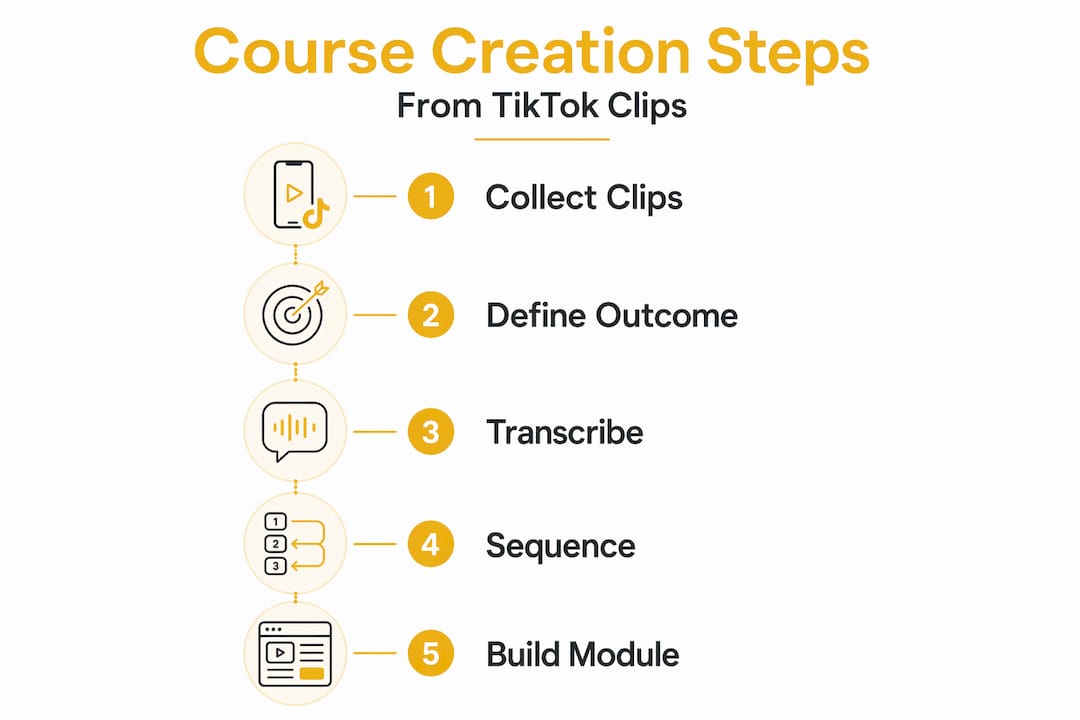
This is where your TikTok archive stops being a content feed and starts becoming a curriculum. The goal is to turn TikTok videos into lessons that are structured, sequenced, and designed for learning rather than scrolling.
-
Clip for micro-lessons. AI clip extraction tools can auto-generate 10 or more clips from a longer video, each running 15 to 60 seconds with captions already applied. That range is not arbitrary. Clips under 20 seconds achieve the highest completion rates on TikTok, which signals that a single focused idea per clip is the right approach. Each clip you select for your course should teach exactly one micro-skill.
-
Transcribe every clip. Run your selected clips through a transcription tool to generate a searchable text layer for each one. This text layer is where the real leverage lives. You can scan transcripts in minutes instead of re-watching videos, and you can pull direct quotes for lesson summaries, slide decks, or workbook pages.
-
Label each clip with a micro-skill. Before sequencing anything, write a one-line skill label for every clip. For example: "Identify the three parts of a hook" or "Demonstrate proper knife grip." This practice forces you to confirm that each clip actually teaches something discrete. If you cannot write the label, the clip probably does not belong in the course.
-
Sequence clips into scaffolded modules. Group your labeled clips into logical progressions. Educational design guidance recommends structuring each micro-lesson around a hook, a teaching moment, and a practice prompt. A module on "writing headlines," for example, might open with a clip on why headlines fail, move to a clip demonstrating a proven formula, and close with a clip walking through a real example.
-
Add active learning elements after each clip. A short video is a prompt, not an endpoint. Active learning tasks following short clips significantly increase engagement and produce better learning outcomes. Add a quiz question, a reflection prompt, or a short assignment after each lesson. This is what separates a real course from a playlist.
-
Use transcripts to write everything else. Your transcripts are raw material for quiz questions, module introductions, downloadable checklists, and even sales page copy. Transcript-centric workflows are the critical path for scaling content repurposing without spending hours in front of a screen.
Pro Tip: Do not try to build the entire course at once. Start with one module of three to five clips, add your active learning elements, and test it with a small group before expanding. Iteration is faster than perfection.
Common mistakes and legal pitfalls to avoid
Even creators with great content make avoidable errors when they try to create course from TikTok clips. Here are the ones that cause the most damage.
-
Using content you do not own. This is the most common and most costly mistake. Credits or platform features like Duet do not transfer commercial reuse rights. If you use someone else's TikTok in a paid course without written consent, you are exposed to a copyright claim that can get your course taken down and result in financial liability.
-
Building a playlist instead of a curriculum. Dumping your top 30 TikToks into a folder and calling it a course does not work. Learners will not pay for content they can already find on your profile. You need a clear learning arc, defined outcomes, and content that builds on itself.
-
Ignoring transcript quality. Auto-generated transcripts from low-quality audio produce errors that make your course look unprofessional. Always review and edit transcripts before using them in lesson text or quizzes.
-
Confusing TikTok platform rules with copyright law. TikTok's terms of service govern what you can do on the platform. Copyright law governs what you can do commercially. They are separate frameworks. A video being publicly visible on TikTok does not make it free to use in a paid product.
"Creators frequently overlook the legal necessity of securing rights to reuse TikTok videos commercially. This can pose serious risks, including course takedowns and financial penalties." — legalclarity.org
When in doubt, use only your own original content. If you want to include third-party material, get written permission and document it.
How to validate, promote, and monetize your TikTok course
Building the course is only half the work. Getting paying students through the door requires a deliberate strategy, and your existing TikTok presence is your biggest asset.
-
Launch with a free sampler module. Give away your first module at no cost. This removes the barrier to entry and lets potential students experience your teaching style before committing money. A strong free module does more selling than any sales page.
-
Use TikTok as your awareness engine. TikTok short-form content is most effective as a lead generation tool, not a direct sales channel. Post clips from your course as teasers, answer common questions from your curriculum, and direct viewers to a landing page or email list. The sale happens in the structured course environment, not in the comments section.
-
Build an email warm-up sequence. When someone downloads your free module or joins your list, send them a three to five email sequence that delivers additional value and introduces your paid course naturally. Email converts at a much higher rate than social media for course sales.
-
Price with tiers in mind. Start with a core course price, then add value with optional upgrades like live Q&A sessions, one-on-one feedback, or a certificate of completion. These add-ons can double your average revenue per student without requiring you to build new content.
-
Track engagement and iterate. Look at which lessons have the highest drop-off rates and which quiz questions students consistently miss. Both signals tell you where your curriculum needs work. Updating your course based on real learner data builds long-term credibility and improves your completion rates, which directly supports word-of-mouth referrals.
Pro Tip: Selling a course without a large audience is entirely possible if you focus on a specific niche problem. A course that solves one precise pain point for 50 people is more profitable than a broad course that vaguely appeals to thousands.
If you want to go deeper on the monetization side, the 3 stages of monetization framework is worth studying before you set your pricing structure.
What I have learned guiding creators through this process
I have worked with enough creators to recognize a pattern. Most of them come in thinking the hard part is the video. It is not. The hard part is the curriculum.
Short-form video is designed to deliver one idea in under a minute. A course is designed to take someone from point A to point B over hours of learning. Those are fundamentally different structures, and the gap between them is where most TikTok course projects stall. I have seen creators with hundreds of thousands of followers produce courses that students abandon in the first module, simply because the content was never designed to build on itself.
The transcript-first workflow changed everything for the creators I have worked with. When you read your content instead of watching it, you see the gaps. You notice when you repeat yourself, when you skip a step, and when a clip assumes knowledge the student does not have yet. That clarity is hard to get from video alone.
The legal piece is the one I push hardest on. I have seen creators lose courses they spent months building because they included a clip they did not own. The fix is simple: use your own content, document your permissions, and treat every third-party clip as a liability until proven otherwise.
My honest take on monetization: your TikTok account is not your business. It is your billboard. The course is your business. Build the funnel accordingly.
— Eldar
Turn your TikTok content into a course with Courseos
If the process above sounds like a lot of moving parts, that is because it is. Courseos was built specifically to remove those friction points for creators like you.
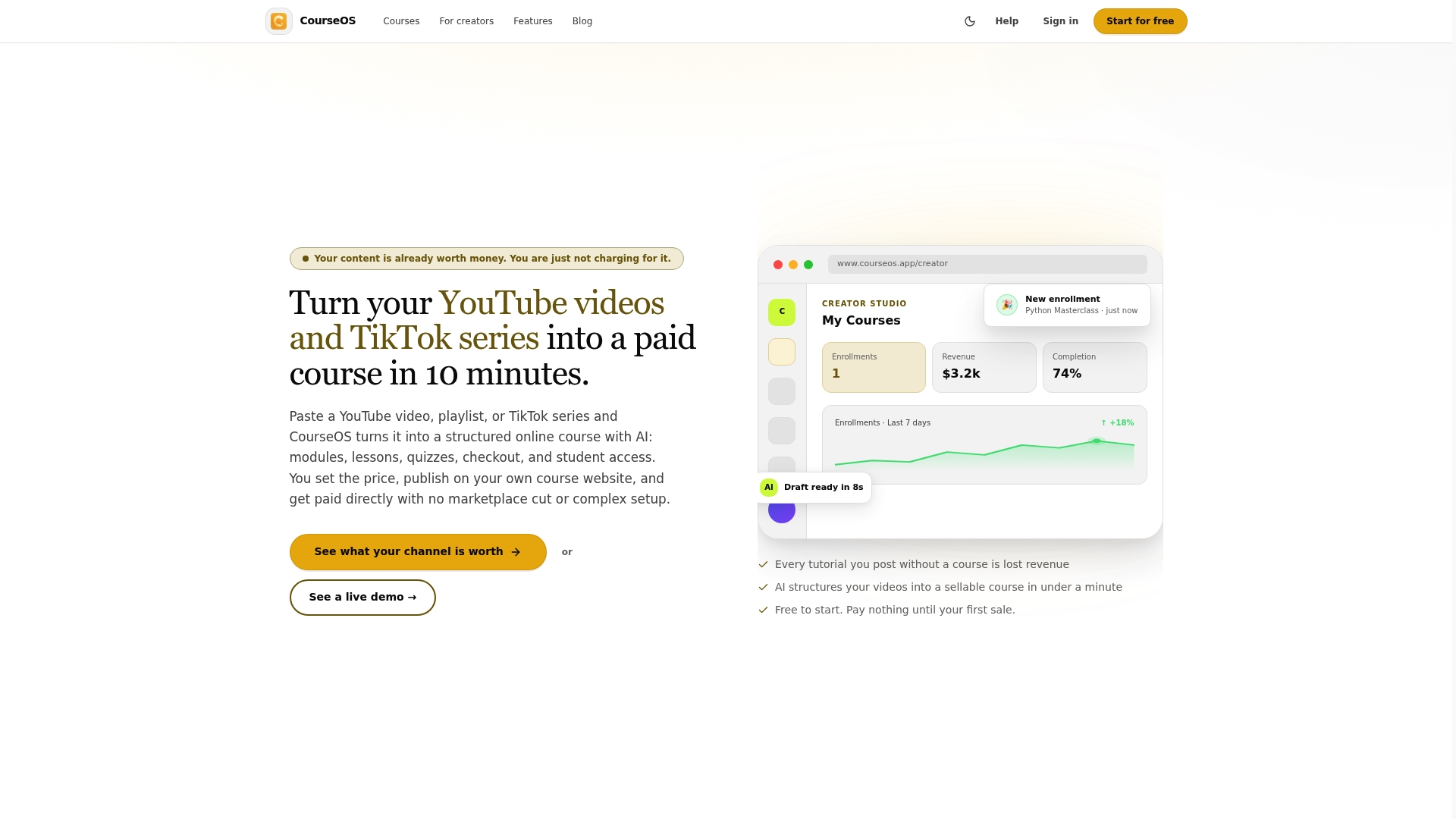
With Courseos, you paste your TikTok link and the AI handles transcription, clip sequencing, module structure, and quiz generation in under 10 minutes. You get a complete TikTok to course pipeline with a built-in checkout flow, custom pricing controls, and the ability to run free sampler modules alongside paid upgrades. Creators using Courseos have reported earning $3,400 from a single course built from existing video content. No technical setup. No blank-page problem. Just your content, structured and ready to sell. You can also explore the full course creation process to understand every step from idea to first sale.
FAQ
Can I use other creators' TikTok videos in my course?
No. Platform features like Duet or Stitch do not grant commercial reuse rights. You need explicit written permission or a license before including another creator's TikTok in a paid course.
How long should each video lesson be in a TikTok-based course?
The optimal range is 15 to 60 seconds per micro-lesson, with each clip focused on a single concept. Clips under 20 seconds tend to achieve the highest completion rates.
Do I need to transcribe my TikTok videos before building a course?
Transcription is strongly recommended. It creates a searchable text layer that speeds up quiz creation, lesson planning, and content organization without requiring you to re-watch every video.
How do I price a course made from TikTok videos?
Start with a core price point, offer a free sampler module to build trust, and add optional upgrades like live sessions or certificates to increase average revenue per student.
What makes a TikTok course different from just a TikTok playlist?
A course has defined learning outcomes, scaffolded modules, and active learning elements like quizzes and reflection prompts. A playlist is passive. The structure is what students pay for.